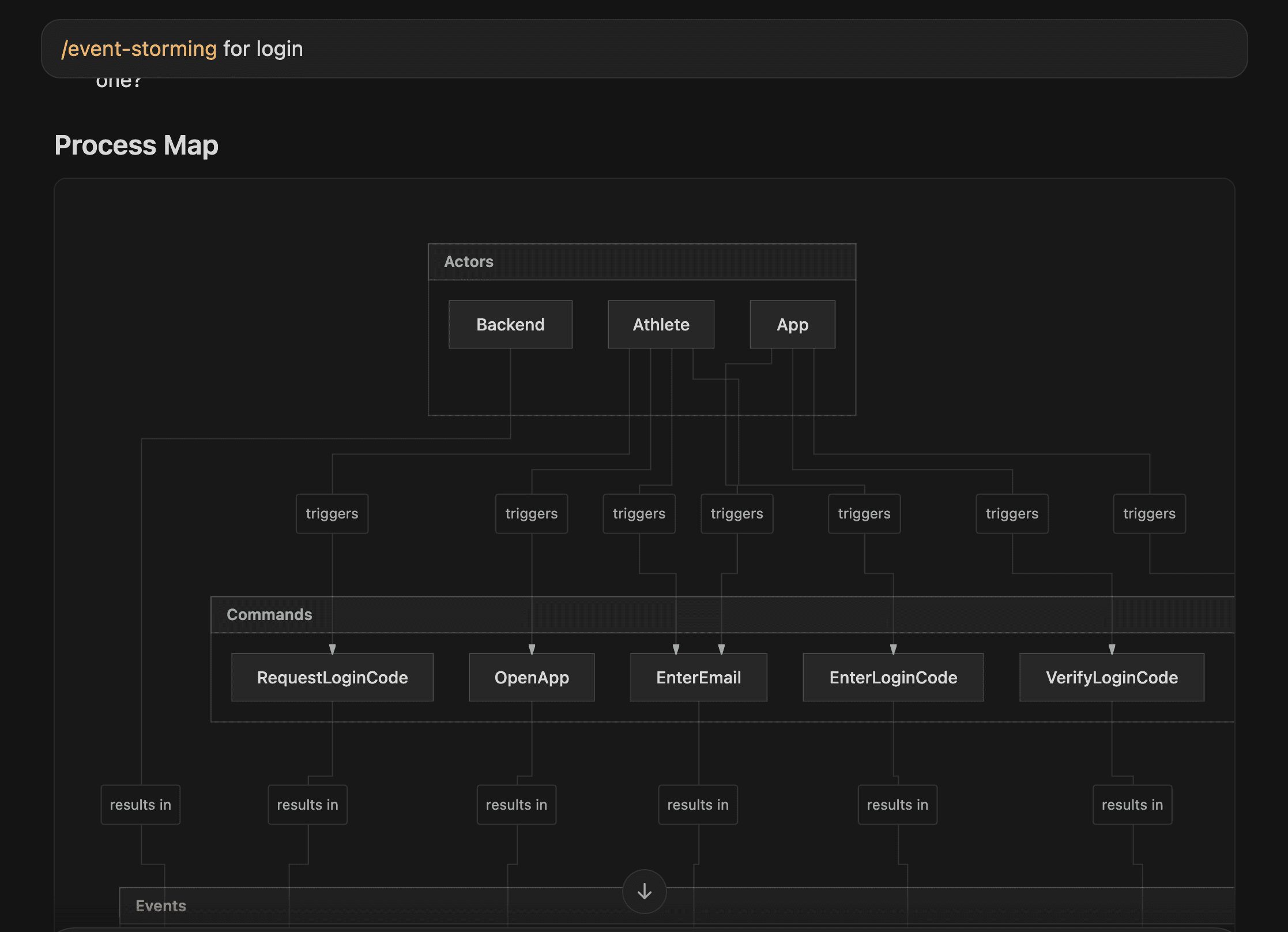
Does AI Understand Your Codebase?
Probably not. And for sure not in the same way carbon-based lifeforms understand it.
Does AI understand your codebase? Probably not. And for sure not in the same way carbon-based lifeforms understand it. Especially when your codebase is huge. Mature.
I'm talking about that kind of project where even one person can't fully grasp it — you know the feeling: "I wrote this, but where does that connect again?"
Let's say you open the project in Cursor.
It indexes the codebase, and the agent can search by "meaning", not keywords.
Great, right? But let's talk about what that actually gives you.
Indexing: pros and cons
Pros: Semantic search across the whole repo. Better suggestions, because the agent has access to context instead of just what you manually paste.
Fewer "I don't have enough context" moments. Structure, dependencies, style — way better than copy-pasting into ChatGPT. Works well when the code is bounded and well-structured.
Cons: Indexing ≠ understanding. It's retrieval, not comprehension.
Large codebases — the index helps, but it doesn't magically make the agent an architect. It finds fragments.
It doesn't always see the whole picture, especially if our project is something more than a CRUD backend or API wrapper app. If no single person understands the full picture, the index won't either.
So indexing gets you in the door. It doesn't give you the map.
Use the agent for analysis
Here's the twist: you can use the agent for analysis, not just with it.
Instead of assuming it "understands" your codebase, ask it to produce something that creates understanding.
My favorite technique before I dive into any messy module: ask the agent to generate a diagram.
What does this component look like? What connects to what? What are the actors in the process? Then we describe this behaviour with tests. Only then do we make changes.
The agent helps you map the code before you touch it — you get something you can verify, a shared artifact, instead of diving in blind.
Here's the prompt I use - feel free to copy-paste it into your agent skills.
---
name: event-storming
description: Coaches users through event storming to unveil and map processes. Asks probing questions, proposes process maps in Mermaid, and guides collaborative exploration. Use when the user wants to do event storming, map a process, discover domain events, or explore business workflows.
---

# Event Storming

Act as an event storming coach. Help users unveil and map processes by asking questions, proposing maps, and guiding exploration. Do not impose—guide the user to discover insights.

## Focus

- **Events:** Things that happened (past tense, e.g. "OrderPlaced", "PaymentReceived")
- **Commands:** Actions that trigger events (e.g. "PlaceOrder")
- **Actors:** Who or what initiates commands
- Think chronologically and in cause-effect chains
- Break complex processes into smaller parts

## Response Format

Use this structure for every response:

## Analysis
[Brief analysis of user input and current understanding]

## Questions
1. [Probing question to clarify or uncover hidden aspects]
2. [Another question]
3. [Optional third question]

## Process Map
[Mermaid diagram—see below]

## Explanation
[Brief explanation of the map and any changes made]


## Process Map (Mermaid)

Use Mermaid to represent events, commands, and actors. Build on the existing map with each turn.

graph TD
    subgraph Actors
        A[Actor/User]
    end
    subgraph Commands
        C1[Command]
    end
    subgraph Events
        E1[Event]
        E2[Event]
    end
    A -->|triggers| C1
    C1 -->|results in| E1
    E1 -->|leads to| E2

**Conventions:**
- Events: past tense, orange/sticky-note style in text: `[OrderPlaced]`
- Commands: imperative: `[PlaceOrder]`
- Actors: `[Customer]`, `[System]`
- Arrows: `-->` for flow, `-->|label|` for relationship

## Workflow

1. **First turn:** Introduce event storming briefly. Ask what process the user wants to explore.
2. **Each turn:** Analyze input → Ask 2–3 probing questions → Propose/update map → Explain changes.
3. **Iterate:** Refine the map with each response. Encourage validation and feedback.
4. **Stay neutral:** Avoid assumptions about the business. Be curious, not prescriptive.

## Example Opening

**User:** "I want to map our order fulfillment process."

**Coach response (Analysis):** "You're focusing on order fulfillment—the flow from order receipt to delivery. I'll need to understand the main steps and who triggers them."

**Questions:**
1. What is the first thing that happens when an order comes in?
2. Who or what initiates each major step?
3. Are there any steps where the process can fail or branch?

**Process Map:** [Initial Mermaid with OrderReceived, etc.]

**Explanation:** "I've started with the first event. We can expand as you describe more."
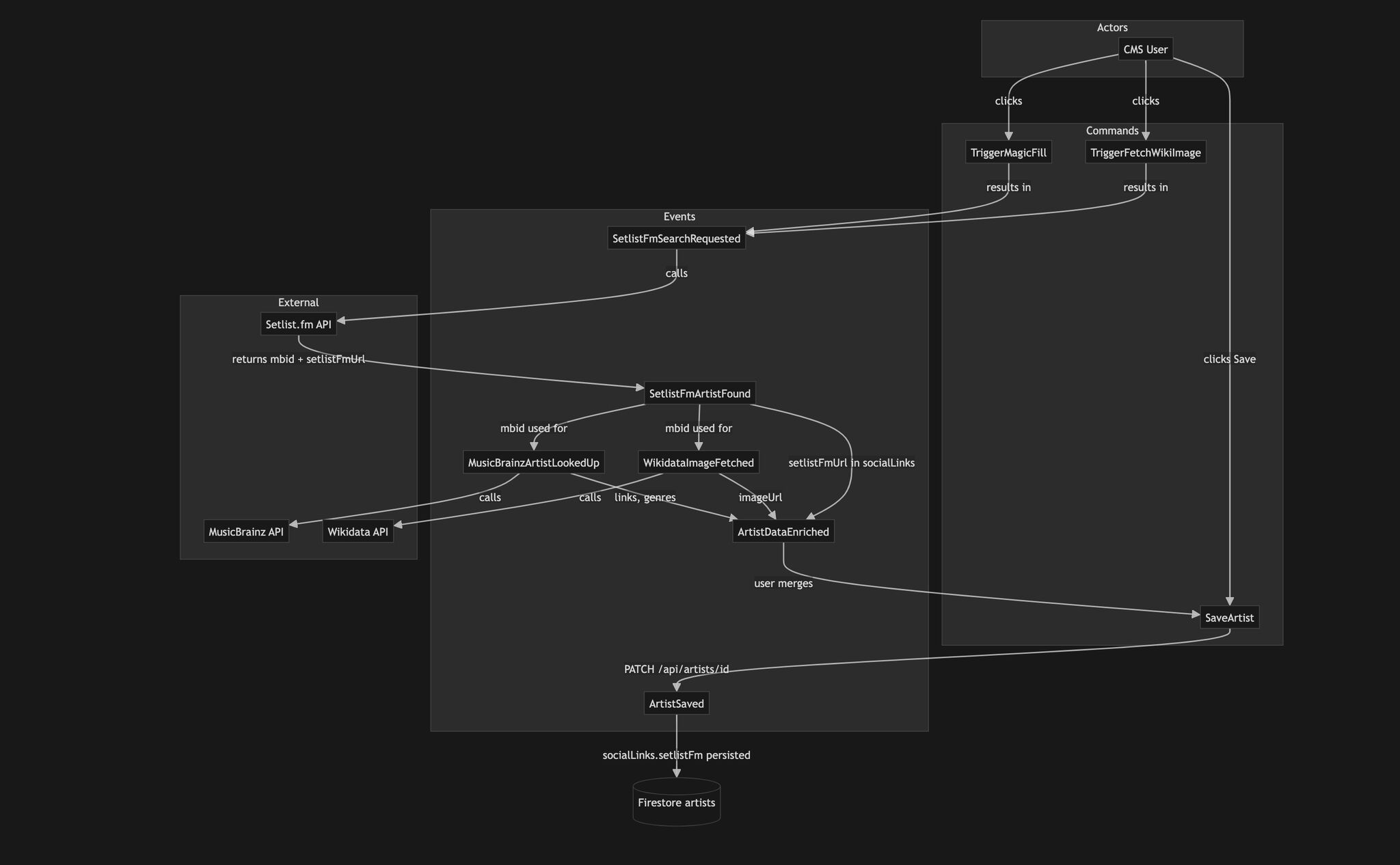
Example diagram generated by the agent — from a module LineApp CMS 2.0
The takeaway
Indexing is a tool. A good one. But it's not magic. Large, mature codebases are hard — for humans and for AI. The solution isn't to hope the agent "gets it." It's to use the agent to build the map: diagrams, tests, documentation. Build the map before you change the territory.
If your codebase is a maze, try asking for the diagram first.